If you have reached this point, it is because you have a WorkMeter TimeKeeper in your hands.
TimeKeeper is designed to help you have greater control over the expected duration of your daily activities.
It is an exclusive resource that can only be obtained as a gift or through a special order from WorkMeter.
If you think it could be useful in your company, do not hesitate to request more units from us. We will be happy to help you.
Below, we explain how to set it up, how it works, and some of its possible uses.
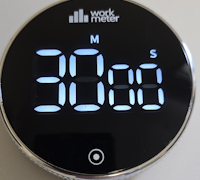
Unpacking and Removing Protections 🔗
Your TimeKeeper has traveled from afar, carefully protected to arrive in perfect condition.
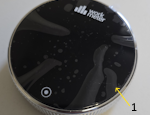
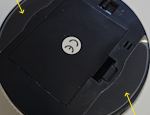
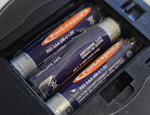
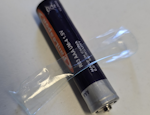
It includes the batteries already installed, but both the screen and the base come covered with protective plastics that you must remove before using it.
You must remove the plastic from the main screen (1) and the plastics from the non-slip base (2 and 3).
Getting Started and Operation 🔗
Using the TimeKeeper is very simple:
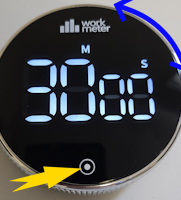
- Turn the rotor to set the countdown time: – If you do it quickly, the minutes will adjust. – If you do it slowly, the seconds will change (in increments of 5).
- If you want to stop the countdown at any time, press the same button again.
Also, you can use TimeKeeper as a stopwatch: – Press and hold the button for a few seconds until the counter resets to 00:00. – Then, press it again to start counting upwards.
If the countdown is not running, the device will automatically turn off after a few seconds to save power.
Other possible uses 🔗
We hope TimeKeeper is useful to you in your daily life. Here are some ideas for use, both professional and personal:
1. Meetings: Thanks to its visible and shared screen, it is ideal to place it in the center of the table at the start of a meeting. You can set a limit — for example, 30 minutes — to encourage more focused, agile, and efficient meetings.
2. Forums or presentations: Perfect for managing speaking turns in debates, trainings, or presentations. Being clearly visible, each person can control their speaking time without distractions or interruptions.
3. Pomodoro Technique: In a more personal setting, you can use TimeKeeper to focus on short deep work sessions. For example, set 20 minutes, silence your phone, close your email, and focus on a single task until the alert sounds. A simple way to train your focus.
4. Cooking (yes, also): And if you don’t find a professional use for it, you can always take it home: TimeKeeper includes a magnet so you can put it on the fridge and precisely control the cooking time of your pasta. Al dente, guaranteed! 🙂
We hope TimeKeeper helps you be more productive and better manage your time!