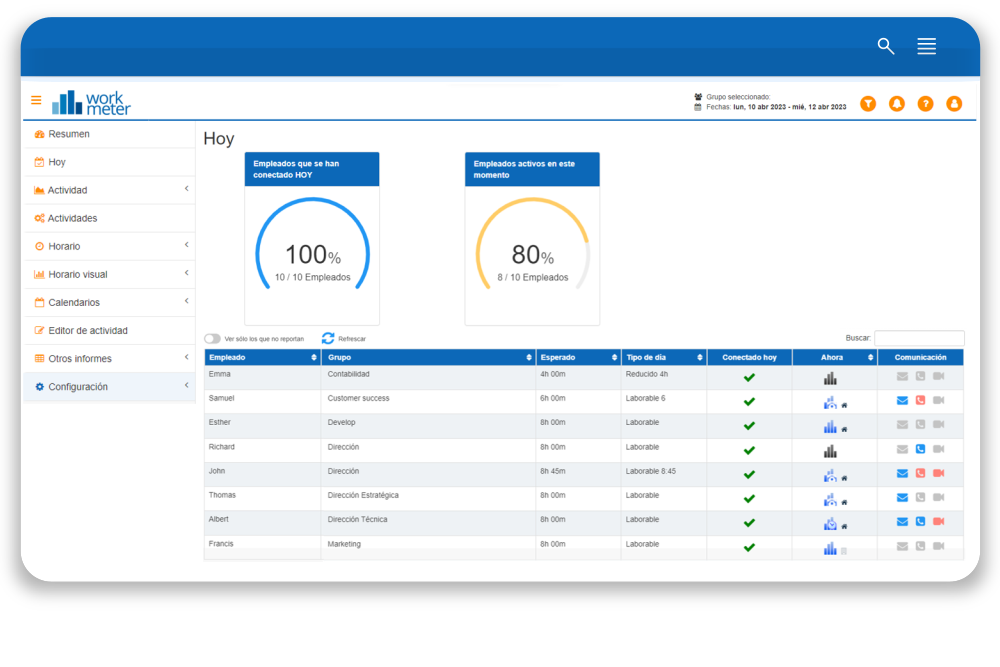
"My organization" has two tabs showing the "Today" panel and the "Organizational Chart".
Today 🔗
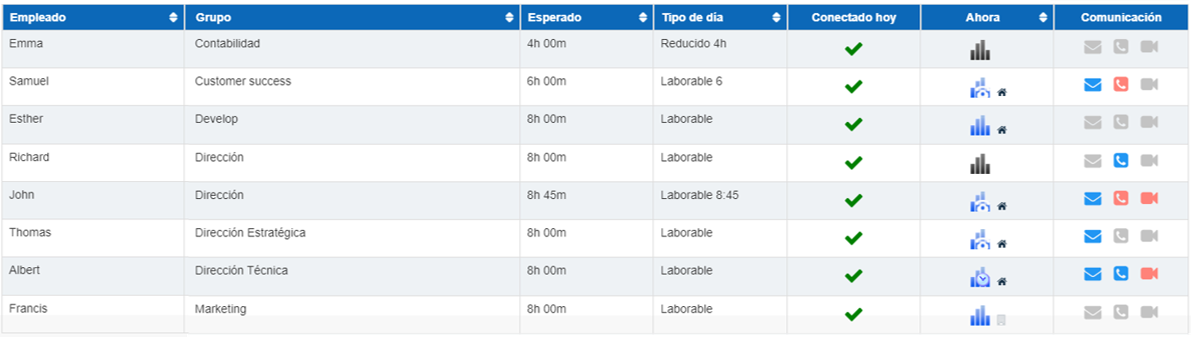
The table shows by default the list of company employees and their current status.
This table includes the following sections:
- Employee name.
- Group to which they belong.
- Expected activity of the day as configured in the work calendar.
- Type of day. Description of the type of day the employee has configured in their calendar today.
- Connected today. Shows if the employee has connected today.
- Status.
- Communication channels.
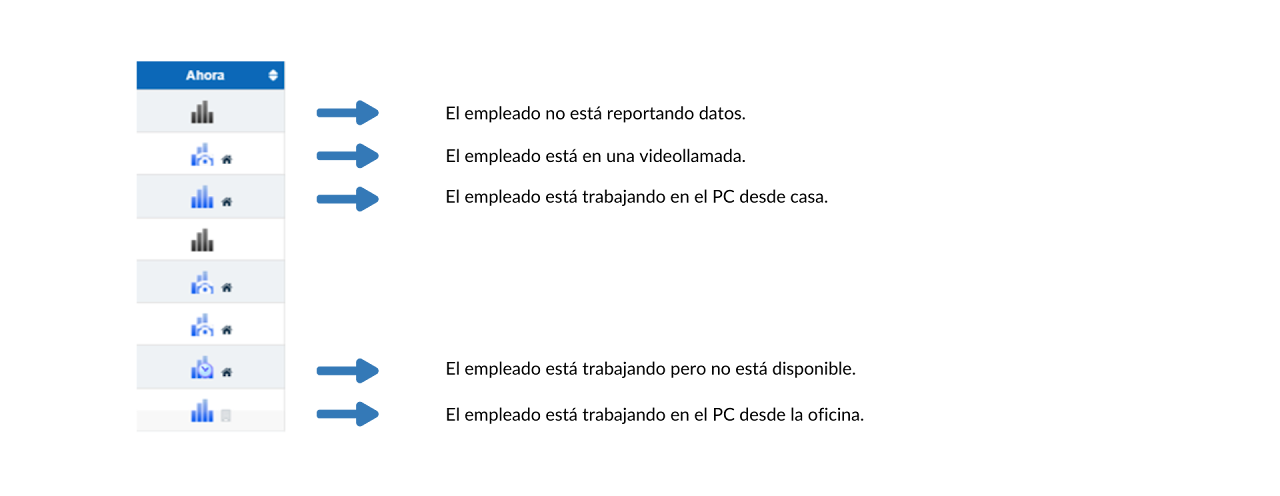
The column called “Now” shows us the status of the activity of each employee.
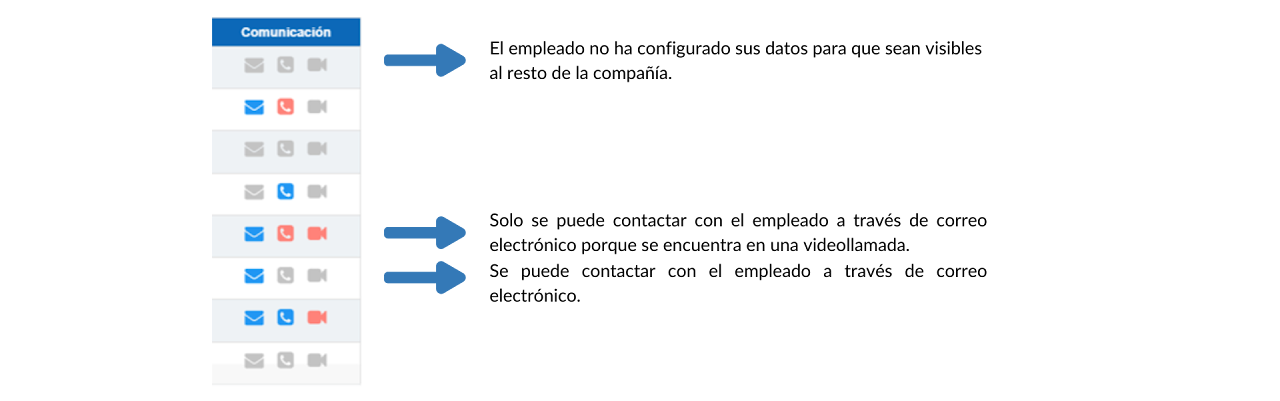
The column called “Communication” shows the channels available to establish communication with the corresponding worker. Clicking on the available icons opens the application configured for each medium.
From "General Options" it is possible to configure the visibility of the "Today" panel.
This setting allows or restricts the display of the "Today" panel to employees. If its display is allowed, it must be configured whether employees can see information from the entire organizational chart or only from their group and subgroups.
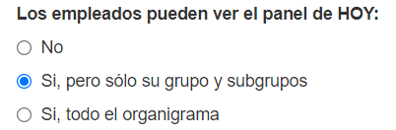
In the "Today" panel present in the employee profile, the graphs of active and connected employees, as well as the selector “View only those who do not report” are not visible. Only the table indicating the real-time activity of coworkers is visible.
Organizational Chart 🔗
This section shows the complete organizational chart of the company divided by departments. It shows the name, position, and the way to contact the employees.