Reports - Hours Balance 🔗
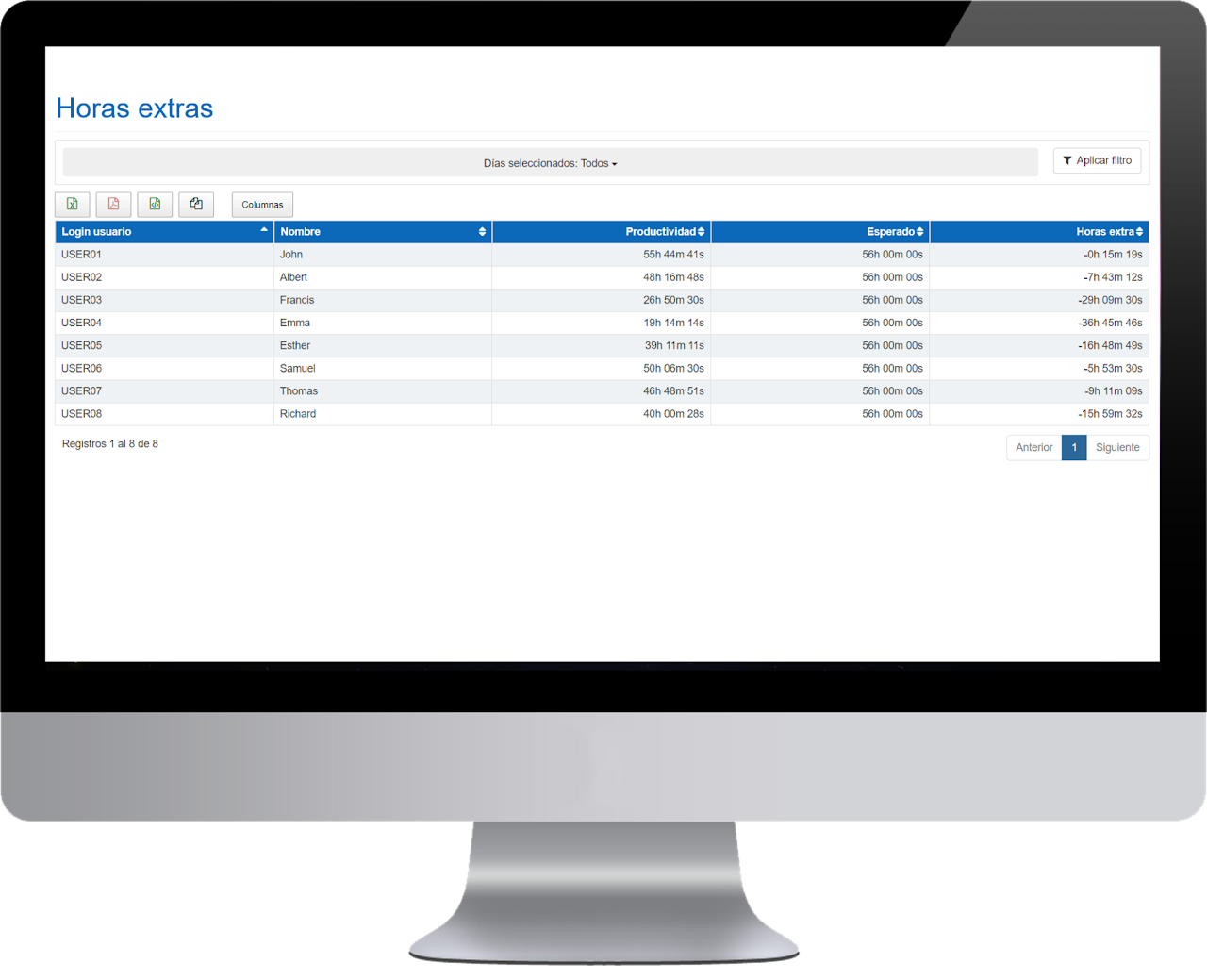
The purpose of this panel is to display the hours balance performed by each employee and day within a specific date range. The software always calculates the hours balance based on the employee's actual activity, not on the active range time.
- Date: specific day
- Name of the employee
- Activity: total activity for that day
- Expected: the daily expected activity configured in the group to which this user belongs
- Hours Balance: Total hours of activity or productivity for the period - total expected for the selected period.
In the hours balance report, you will find different filtering options at the top of the data table.
You will find 3 filtering buttons:
- Last 30 days
- 4 months
- Current year
When entering the panel, the selected date filter is applied. If you select one of these three buttons, the filtered period will change automatically.
You will find a filter in "SLIDER" format
This filter is added to the selected date or period filter.
By default, it appears to show the positive hours balance (from 0h to the maximum). Moving it allows you to see the negative balance hours, filter between two ranges, etc., depending on the desired analysis.

Reports - Work Reconciliation 🔗

The objective of this report is to detect opportunities for work-life balance for employees by trying to understand and reduce the active range to only what is strictly necessary in the workplace.
- Date : specific day
- Employee Name
- Active Range : presence time. It is calculated by subtracting the end time from the start time.
- Activity : total activity for that day
- Expected : the daily expected activity configured in the group to which this user belongs
- Opportunity : calculated by subtracting the daily expected from the active range time.
Scheduled Reports 🔗
In this panel you can see the scheduled reports you have enabled from your profile.
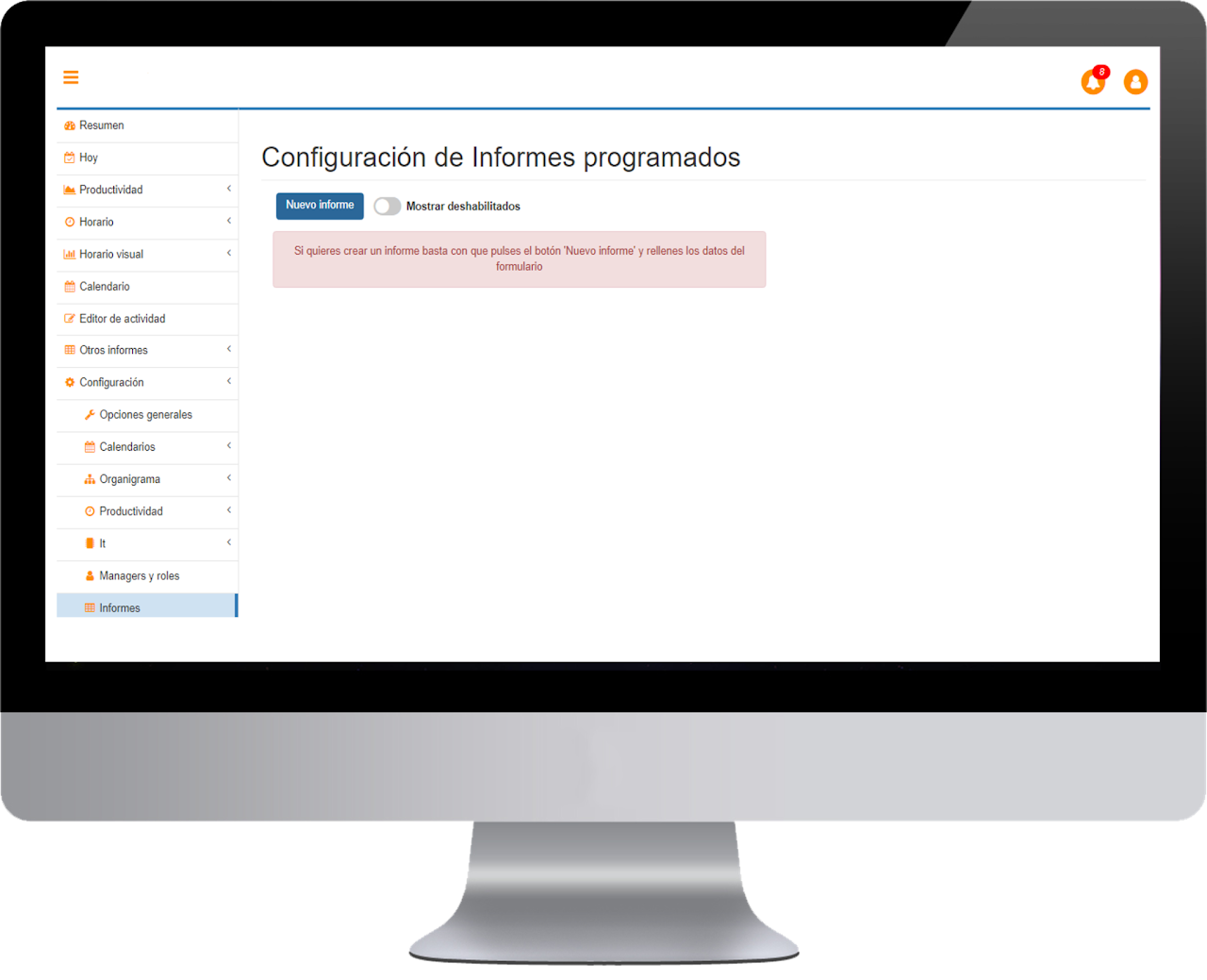
To see the disabled reports, just drag the command until it turns blue.
