Telework Volume 🔗
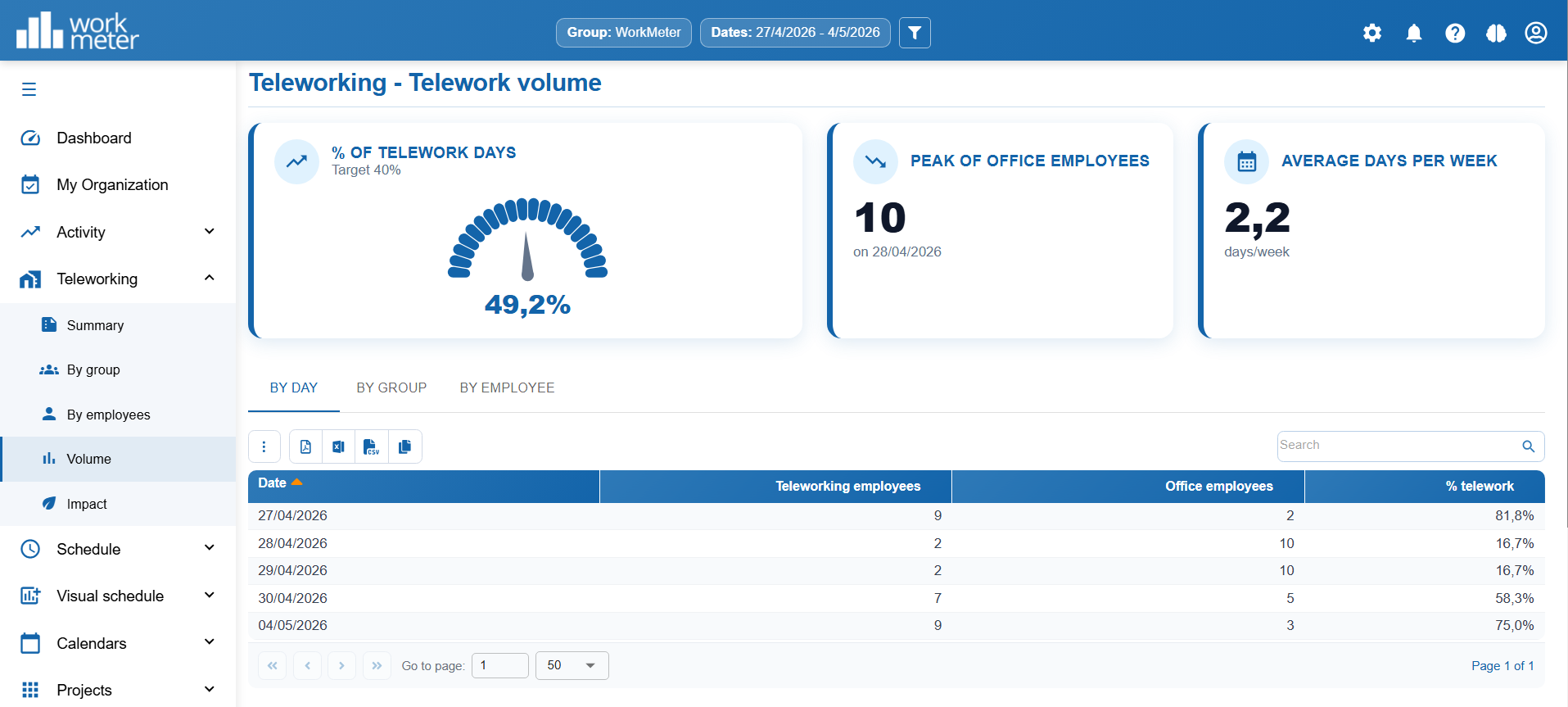
The Telework Volume panel allows you to visualize and analyze the level of telework in the organization, facilitating the monitoring of the hybrid model and its evolution over time.
What information does it show? 🔗
This panel presents different key indicators:
- % of telework days: Percentage of telework performed in relation to the defined target.
- Peak number of employees in the office: Maximum number of employees who have worked in the office on the same day.
- Average number of telework days per week: Weekly average of remote days per employee.
Levels of analysis 🔗
The panel allows you to view the information from different perspectives:
- By day: Shows the daily evolution of telework.
- By group: Allows analysis of behavior by teams or departments.
- By employee: Offers individual details for each person.
Data calculation 🔗
The data shown in this panel is calculated based on the values defined in:
Settings > General Options > Telework > Values for volume and impact calculation
In this section, the target telework percentage is set, which is used as a reference to calculate the dashboard indicators. This allows comparing the actual level of telework with the target defined by the organization and evaluating its degree of compliance.
