In this panel, we show all the projects that employees have linked.
You can sort alphabetically by both project name and employee name.
You can also use the search to more easily find an employee and see all their projects or vice versa, search for a project and see which employees have it linked.
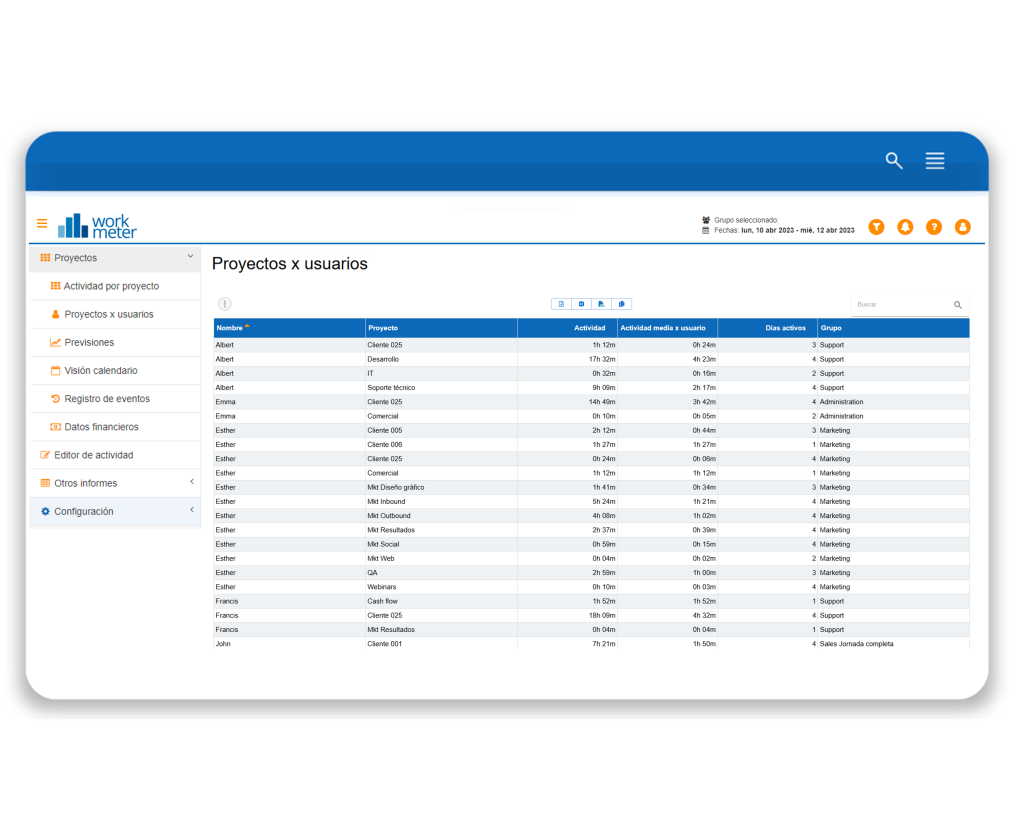
- Employee name
- Project: project name
- Activity: total activity recorded in each project by the employee for the selected date filter
- Average activity: daily average activity that the employee has reported in each project for the selected date filter (active days column)
- Active days: the number of days the employee has reported activity in each project during the selected period
If you click on the name of a specific employee, you will go to the list of all the projects linked to that employee with information about their total and daily project activity.