Incidents 🔗
Thanks to the “Incidents” panel, you can see the days, marked as working days, on which no expected activity has been detected.
You can filter by employee and by group.
Thanks to the “Incidents” panel, you can see the days, marked as working days, on which no expected activity has been detected.
You can filter by employee and by group.
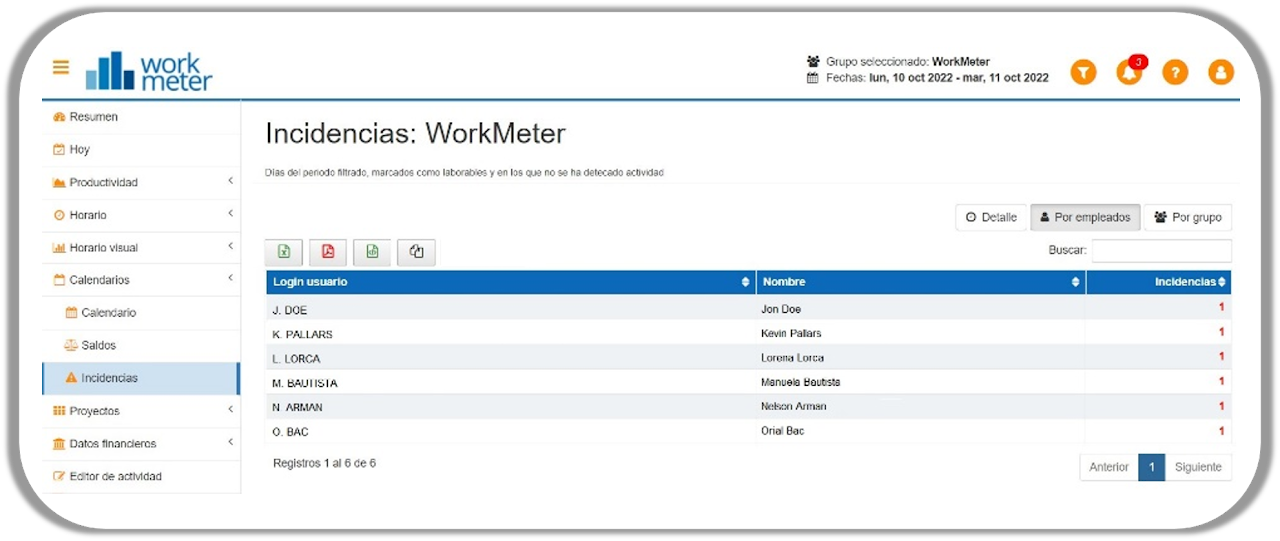
The data available in the table can be viewed by day, by employee, and by groups.

You can also see the details of the incident by employee by clicking on their name, and it will automatically filter by the same.
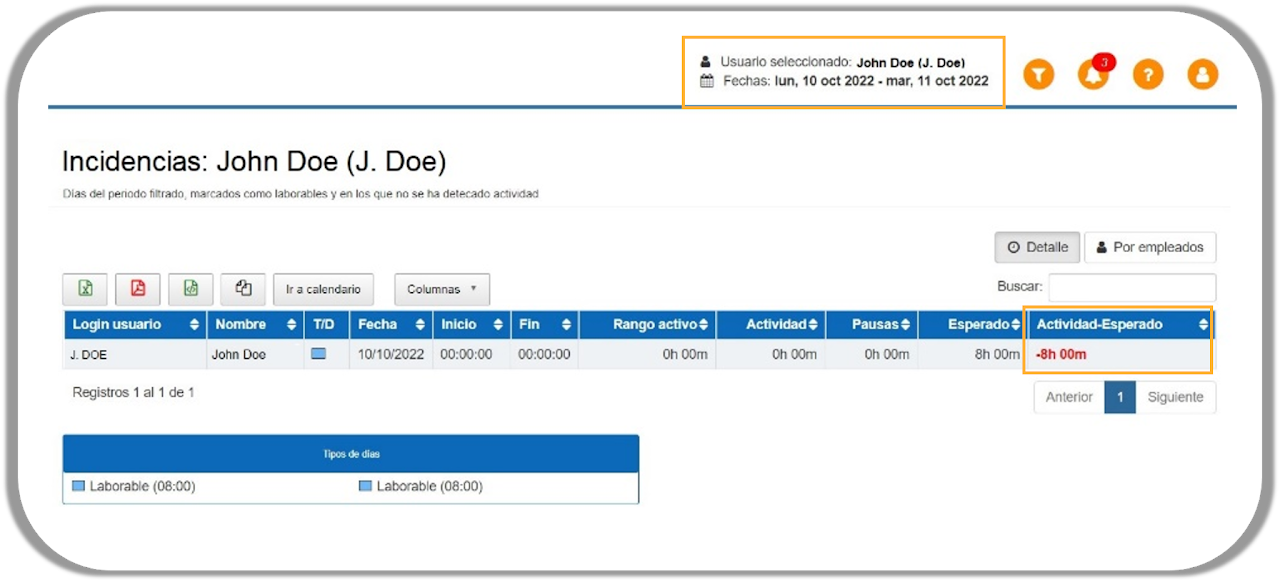
Once in the incident detail, you can access the selected employee's calendar with one click.

Quickly and easily check the effective working time, thanks to the incident panels and their detail by employee.