If you have just installed the product, you may not see the icon yet and think that the product has not been installed on your computer.
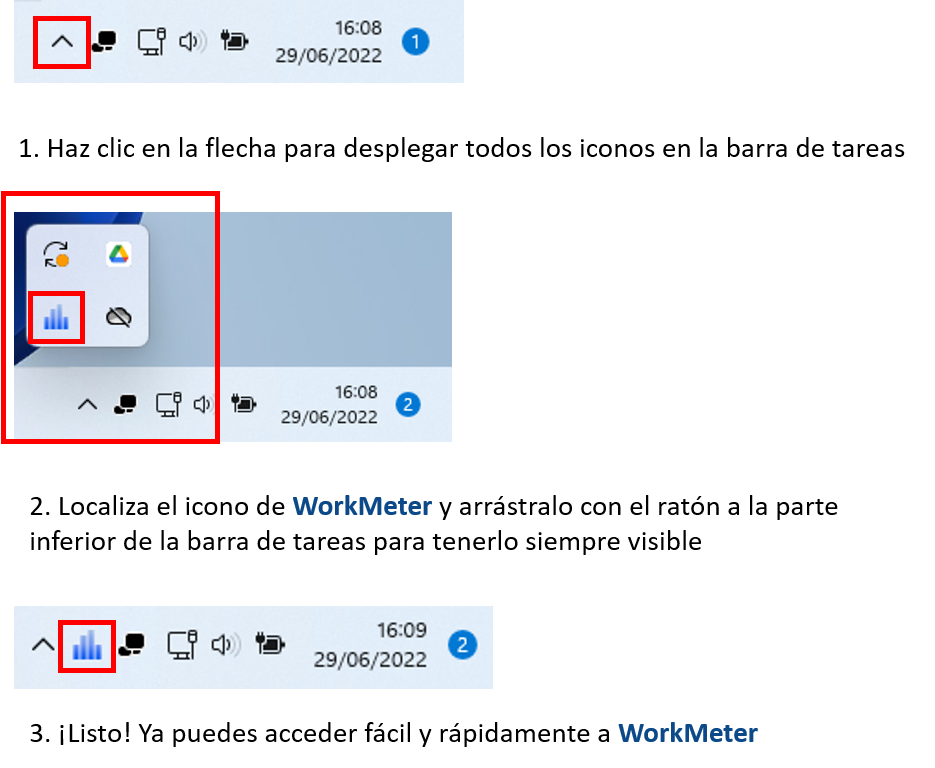
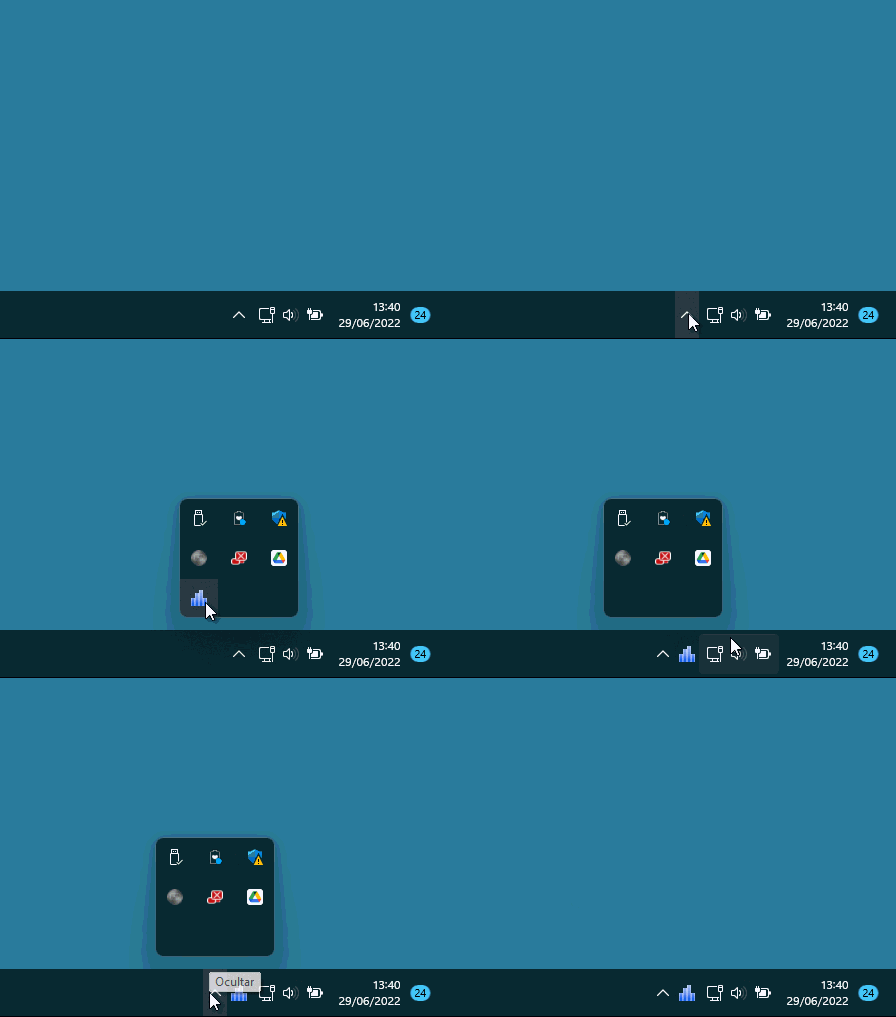
The WorkMeter icon will appear after a few seconds near your desktop clock. If not, it may be hidden, and you will need to drag it manually to the notification area:
Activity data is accumulated and sent to the server. After a few minutes, you will be able to check the recorded activity in your WorkMeter account.
Access it from the icon configured in the previous step or through the link: https://timework.workmeter.com
If you need more information, do not hesitate to contact us at support@workmeter.com or visit our help center .